LLM Calls
Last updated: March 2026
In addition to one-shot and session-based interactions, the platform allows you to directly invoke LLMs inside JavaScript snippets. This enables highly flexible, programmatic use of LLMs within your coaching logic.
1 Overview
This feature is ideal for:
- Dynamic message generation
- Conditional logic based on LLM output
- Backend-like processing within dialogs
2 Basic Usage
Step 1: Import the LLM Module
Add the following import at the top of your snippet:
//+llmStep 2: Perform an LLM Call
Use the llm function with the following structure:
const result = llm(1, "Say hello to $participantName");| Parameter | Description |
|---|---|
| First | The LLM slot number (e.g., 1 for LLM1) |
| Second | The text prompt sent to the model |
ℹ️ LLM slot numbering matches the basic configuration of the coaching exactly: LLM1 =
1, LLM2 =2, etc.
Response Format
LLM calls return a JSON object:
{
  "success": true,
  "message": "Hello John, how are you today?"
}| Field | Description |
|---|---|
success |
Indicates whether the call was successful |
message |
The generated response from the LLM |
3 Handling Responses
Instead of storing the full JSON object, extract only the relevant content and provide a fallback:
//+llm
const result = llm(1, "Say hello to $participantName");
const o = {
  llmResult: result.success ? result.message : "Hi $participantName!"
}
o
This ensures clean output for user-facing messages and graceful fallback handling if the call fails.
4 Using Variables in Prompts
You can dynamically insert coaching variables into prompts for personalised, context-aware responses:
const result = llm(1, "Say hello to $participantName");5 System Prompt Override
By default, the platform uses a predefined system prompt (e.g., a helpful assistant persona). You can override this by supplying a custom system prompt as an additional parameter.
Syntax:
const result = llm(1, "Your custom system prompt", "Your user prompt");| Parameter | Description |
|---|---|
| First | LLM slot number |
| Second | Custom system prompt |
| Third | User prompt |
The prompt should also provide as a second parameter the language (normally saved in $participantLanguage), e.g. "Answer in $participantLanguage", if the coaching language is not english.
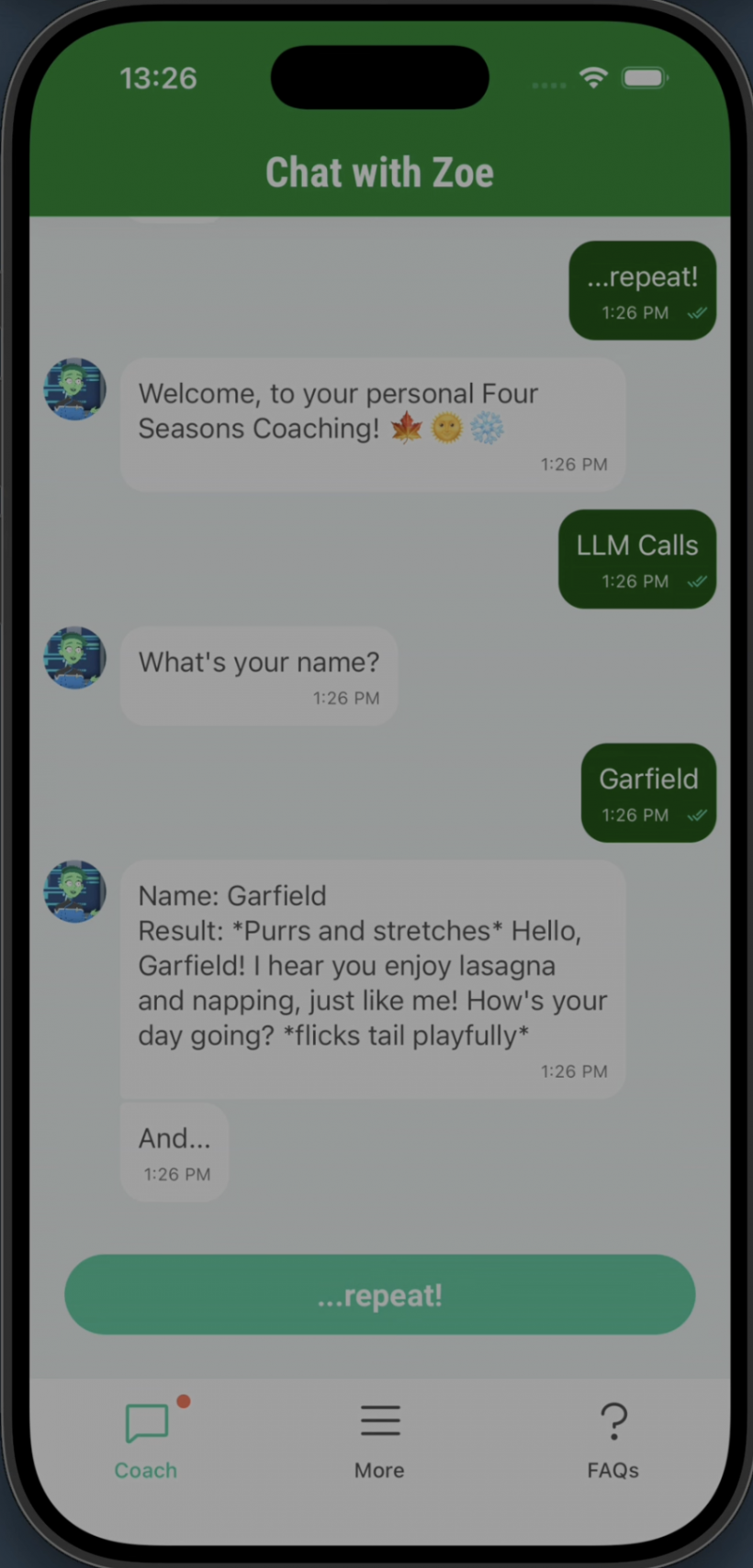
Example:
//+llm
const result = llm(1, "Behave like you are a cat", "Say hello to $participantName");
const o = {
  llmResult: result.success ? result.message : "Hi $participantName!"
}
Example output:
6 Integration in Dialog Flow
A typical use case inside a coaching:
- User provides input (e.g., their name)
- A decision point triggers a JavaScript snippet
- The snippet performs an LLM call to generate dynamic content
- The result is stored in a variable
- The next message bubble displays the result
7 Best Practices
- Always check
result.successbefore using the output - Provide meaningful fallback messages for failed calls
- Keep prompts clear and concise
- Use system prompts to enforce a consistent personality or tone
- Avoid overly complex logic inside prompts — keep snippets readable