Cost Controlling & LLM Log
Last updated: September 2026
The LLM Hub includes built-in cost controlling for all LLM calls. It lets you track, per coaching and per LLM configuration, how many tokens were consumed and what that cost in EUR.
1. Setting prices per LLM configuration
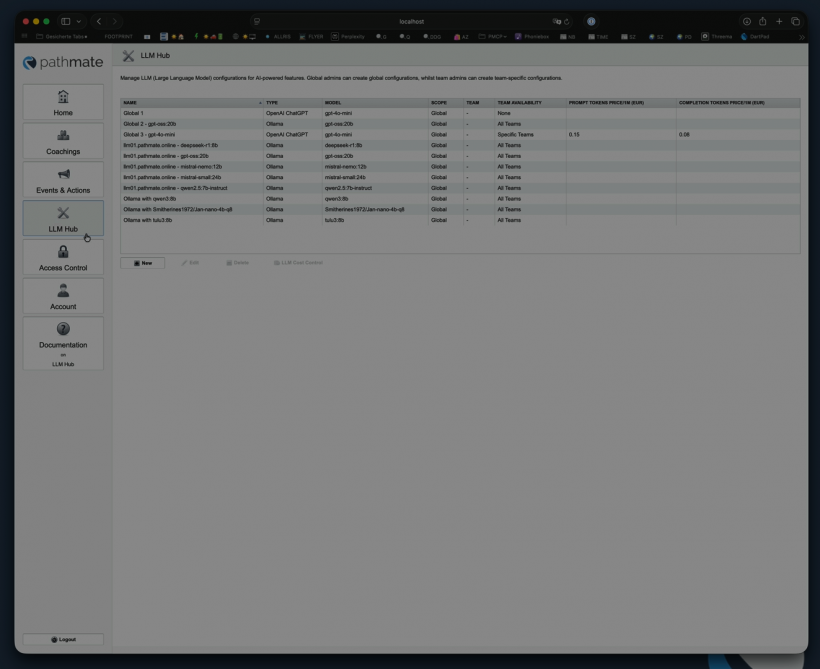
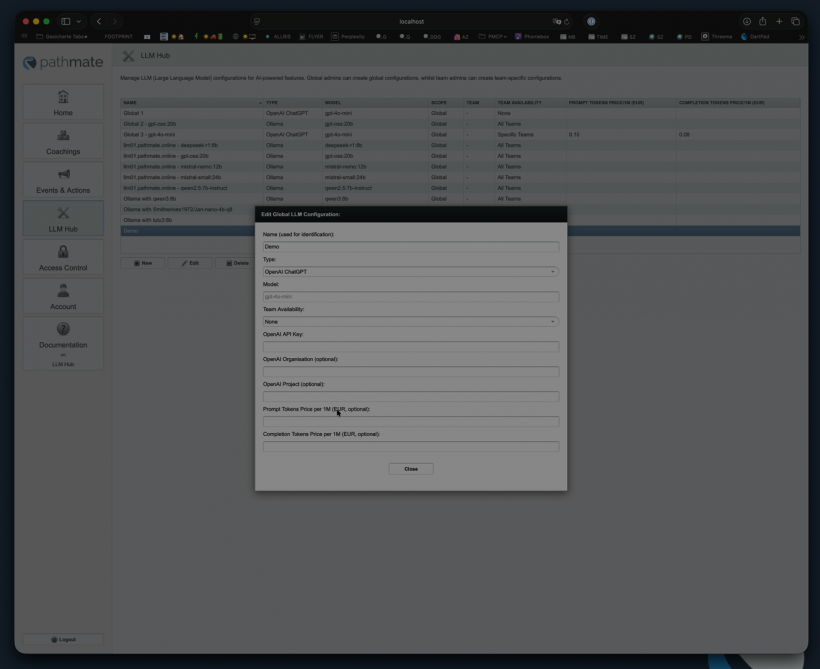
Each LLM configuration in the LLM Hub has two optional fields:
- Prompt Tokens Price/1M (EUR) – price per 1 million prompt tokens
- Completion Tokens Price/1M (EUR) – price per 1 million completion tokens
These prices are entered manually, since they differ by model and provider (e.g. OpenAI/ChatGPT) and change over time. For self-hosted models (e.g. via Ollama) you can likewise set your own price to find out the real cost of your coachings. Pricing is optional — without a price, token counts are still tracked, but no cost values are shown.
2. The Cost Control view
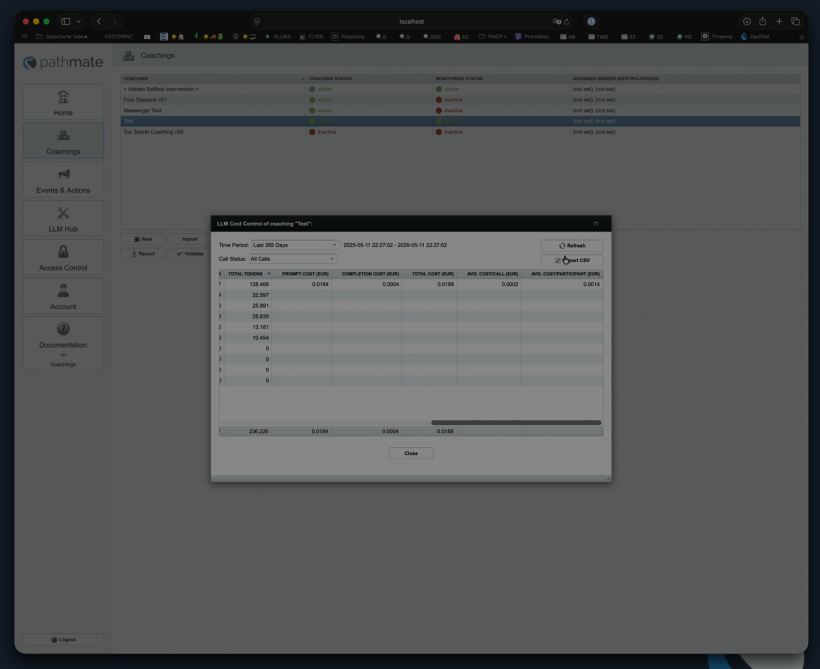
The cost overview is reachable via the "LLM Cost Control" button in two places:
- From an LLM configuration – shows the cost this specific configuration has generated across all coachings.
- From a coaching – shows every LLM configuration that has been used at least once in that coaching (relevant when a coaching uses several LLM configurations).
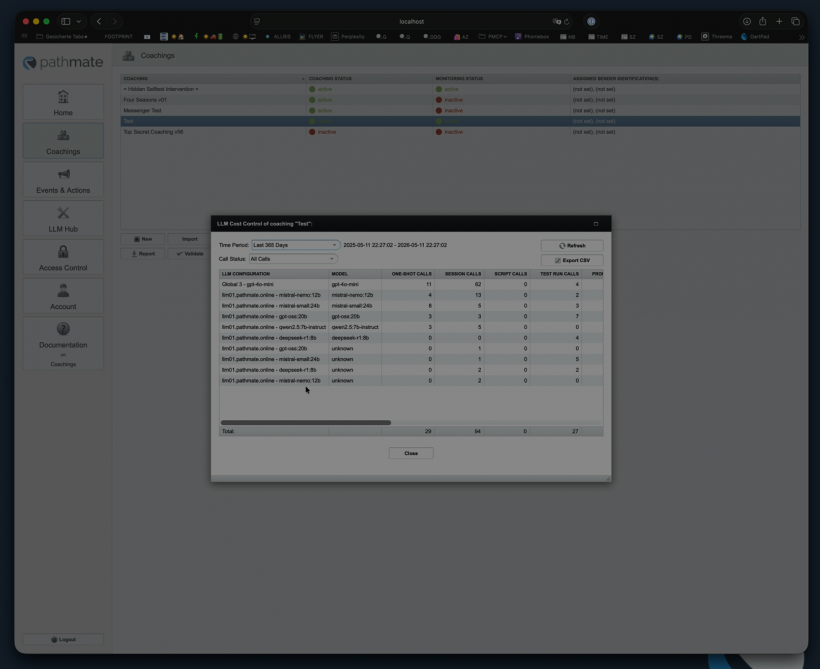
Time range filter: By default the last 24 hours are shown; you can also pick a relative range (e.g. "this year") or a custom range via a calendar.
Breakdown by call type : the results table separates one-shot calls, session calls (script calls within a session), and test-run calls.
Metrics per row:
| Column | Description |
|---|---|
| Prompt Tokens | Number of prompt tokens consumed |
| Completion Tokens | Number of completion tokens consumed |
| Total Tokens | Sum of prompt and completion tokens |
| Cost (Prompt / Completion / Total) | Calculated from the configured prices, shown to four decimal places since individual calls often cost only a few cents |
| Avg. Cost/Call | Average cost per call |
| Avg. Cost/Participant | Only available in the coaching view — average cost per participant in that coaching |
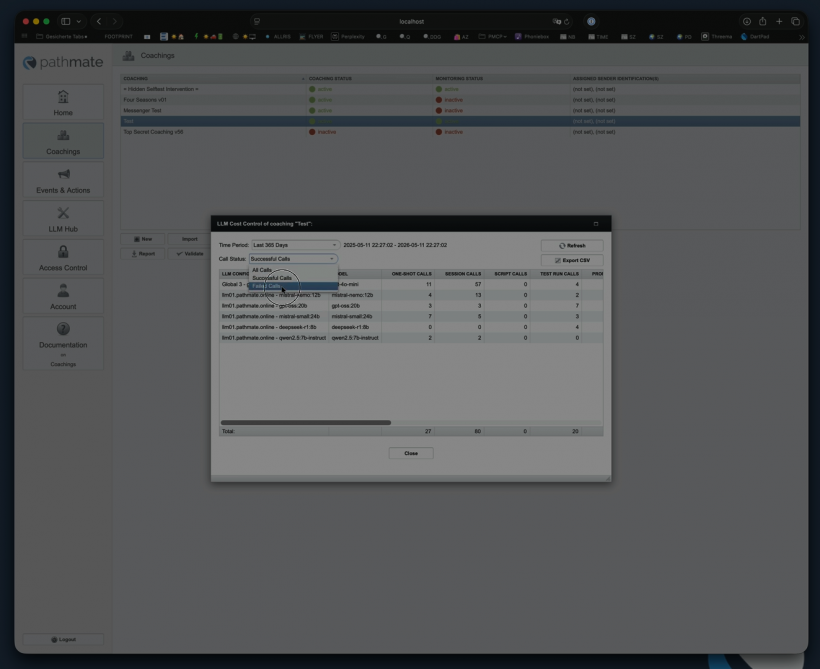
You can also filter by call status — All Calls, Successful Calls, or Failed Calls — e.g. to see how much was spent on failed calls. A totals row sums up all displayed values.
Export: The full result set can be exported as CSV at any time, for further analysis in external tools.
3. LLM Log
The Cost Control view is built on top of the LLM Log objects. Every LLM call is recorded as a log entry containing:
- Session ID and call type (one-shot / session / test-run)
- The LLM type plus all token values (prompt, completion, total), in case you want to run your own calculations
- The Result Variables — the LLM's raw return values (as JSON), together with the corresponding variable name, when the "Variables Collection" feature is used
- A reference ID to the LLM configuration used (instead of duplicating the full configuration in every log entry)
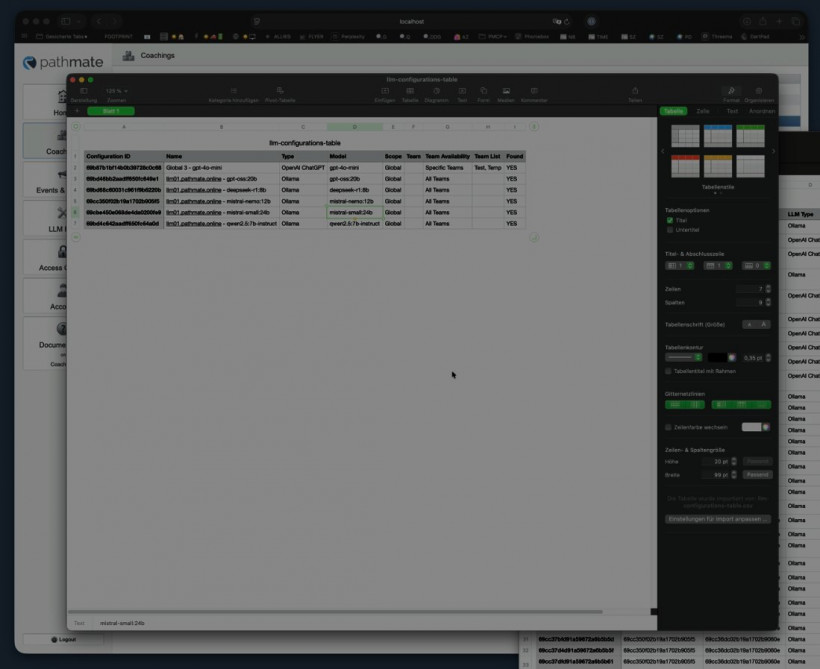
Because of that reference, the export also includes a second file that resolves the referenced LLM configurations — name, type, model, and other relevant metadata — so the log data remains fully interpretable even without access to the live system.
In short
- Prices per 1M tokens can be set per LLM configuration (including self-hosted models).
- Costs can be viewed both per LLM configuration and per coaching, with a time-range filter and a breakdown by call type and status.
- Metrics like Avg. Cost/Call and Avg. Cost/Participant help assess how cost-efficient individual coachings are.
- All results can be exported as CSV.
- The underlying LLM Log objects record every call, including tokens, raw return values (JSON), and a reference to the configuration used.